Safety when it counts
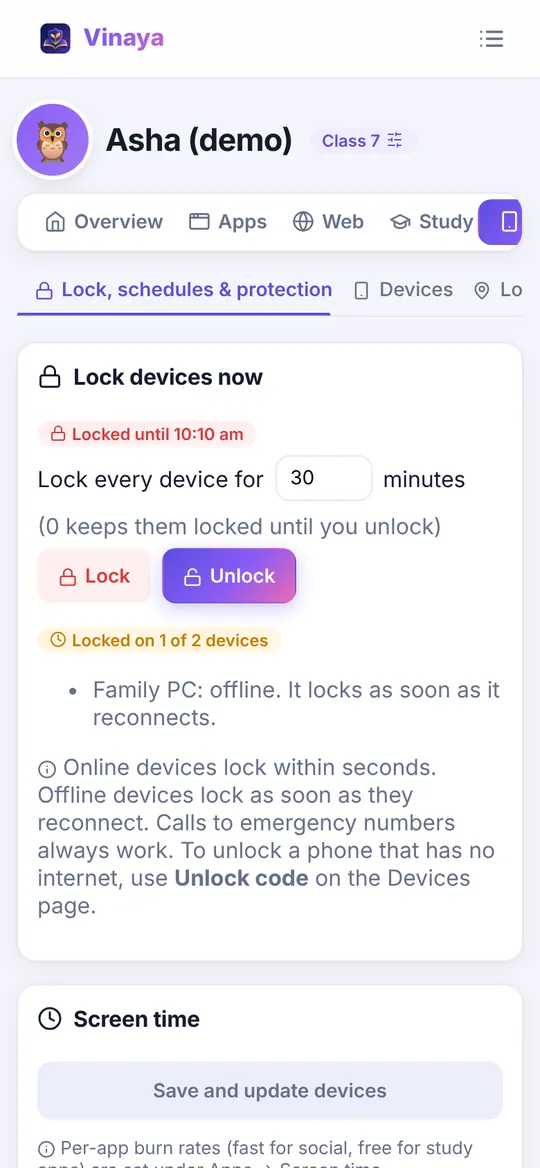
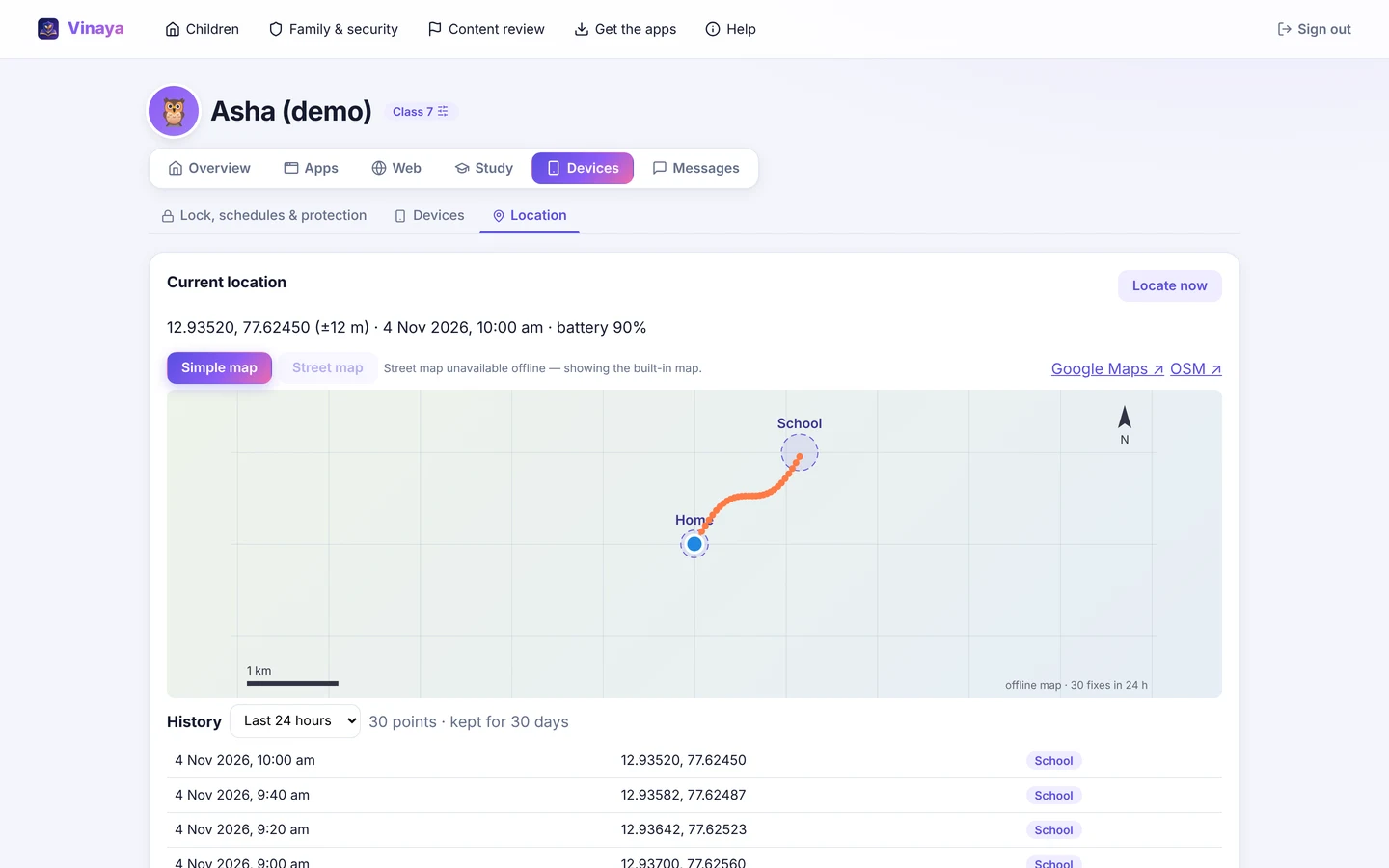
Lock every device from your phone and see it confirmed ("locked on 2 of 2"). Live location with 30-day history and home/school geofences. A child SOS button, remote ring, low-battery and location-off alerts.
 Vinaya
Free · Made in India · CBSE Classes 6 to 12
Vinaya is one free family app. Your child learns CBSE chapters through animations, quizzes and step-marked long answers, and finished study earns the screen time you choose. You get real control of their phone and PC: remote lock, live location, SOS and app limits.
Coming to Google Play by 27 January 2027
Why parents love Vinaya
Most parental-control apps only say "no". Vinaya gives your child a reason to say "yes" to study, and gives you the tools to step in when it matters.
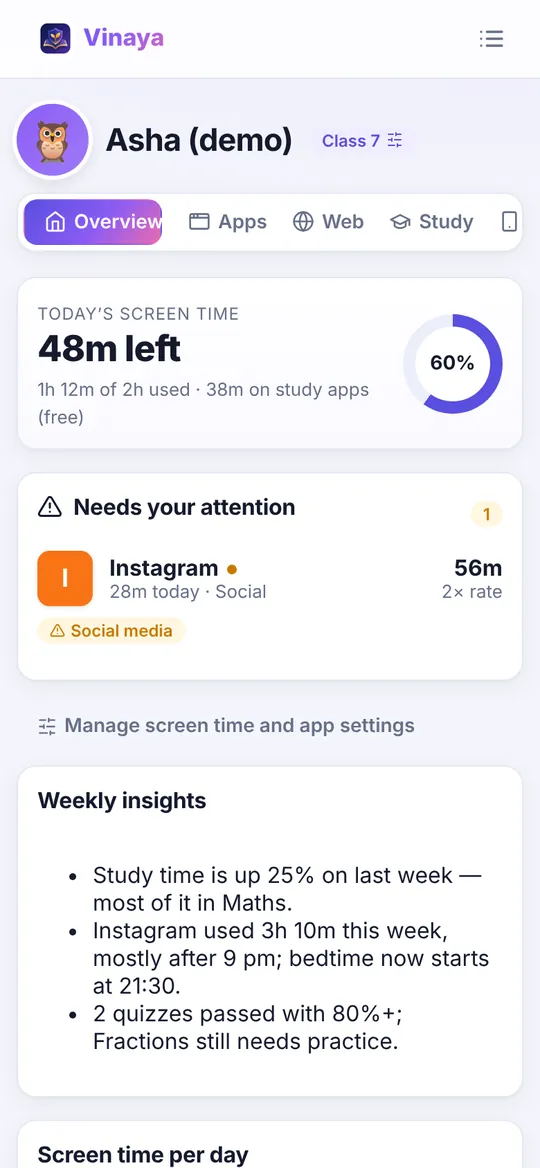
Lock every device from your phone and see it confirmed ("locked on 2 of 2"). Live location with 30-day history and home/school geofences. A child SOS button, remote ring, low-battery and location-off alerts.
Study apps are free to use; social, video and games burn the daily budget faster. Finish a quiz and ask for bonus minutes — you approve with one tap.
Chapters follow the current NCERT books in the order schools teach, with concept-first explanations, animations and long answers marked the way CBSE marks them.
No subscription, no ads, no "premium" lock on safety. If Vinaya helps you, you can support it later, just like Wikipedia.
Vinaya never reads calls, SMS, chats or social messages. You see time, apps, websites and location: what you need to guide, not to snoop. Your child can see the rules too.
How it works
Sign up on the parent dashboard (web, Android or Windows), add your child and their CBSE class.
Install Vinaya Guard on the child's Android phone (quick setup with a code, no factory reset) or run the Windows installer as admin.
Enter the pairing code in Vinaya Study. Rules, study time and rewards now flow both ways. You approve, they learn.
Vinaya Study
Concept-first lessons for CBSE Classes 6 to 12, chapter by chapter on the current NCERT syllabus. See what is ready now
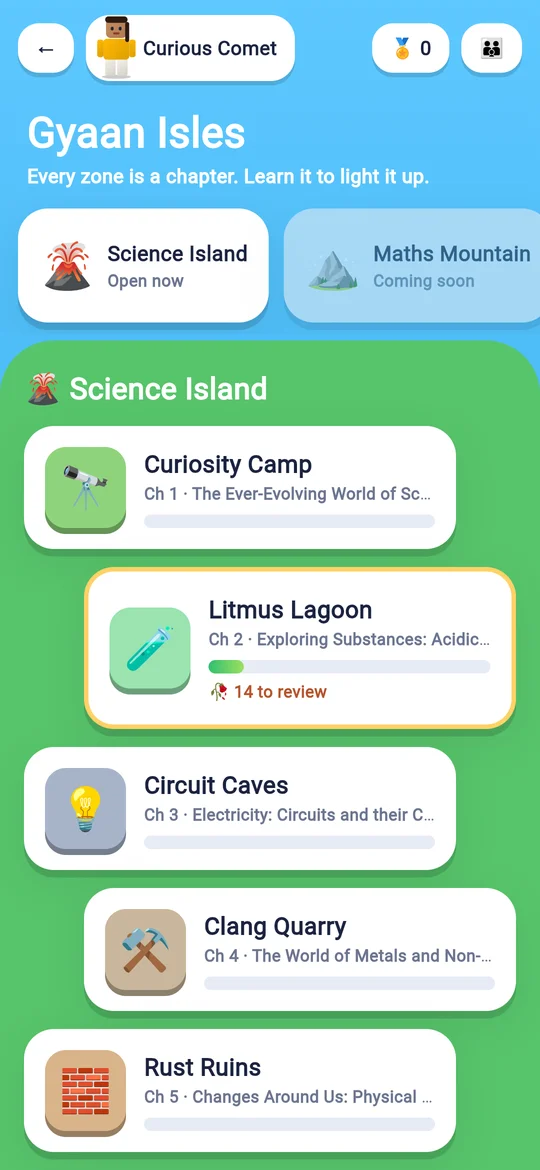
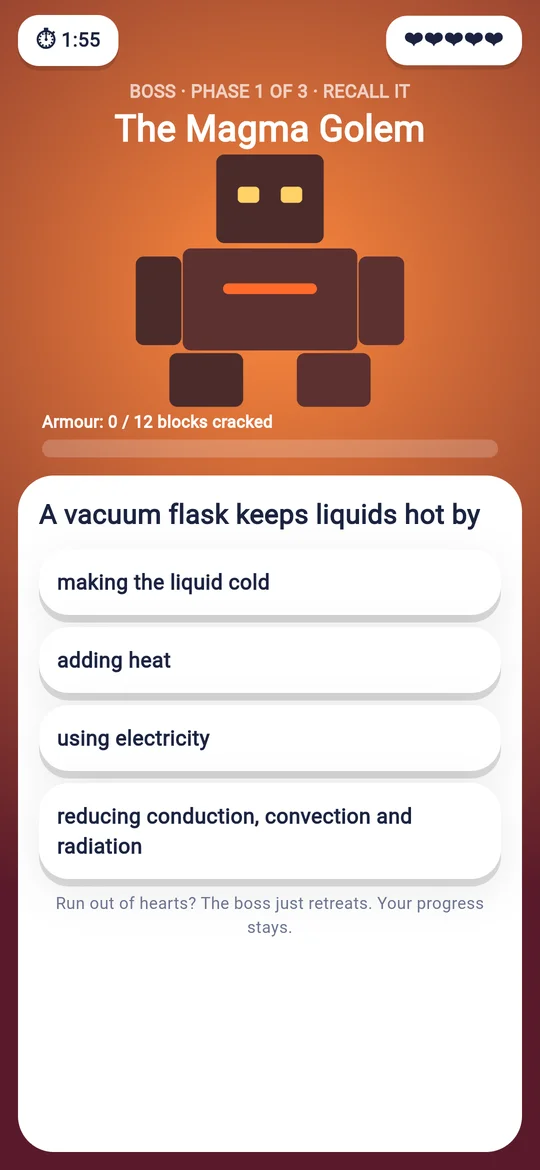
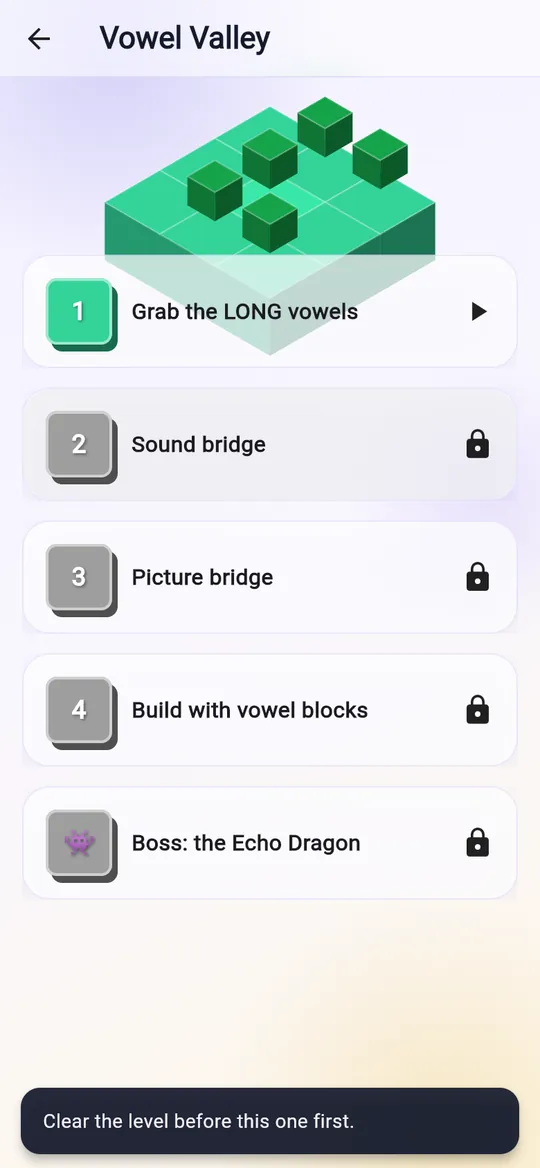
Every chapter is an island zone. Right answers grow crystals, and real mastery beats the boss. See it
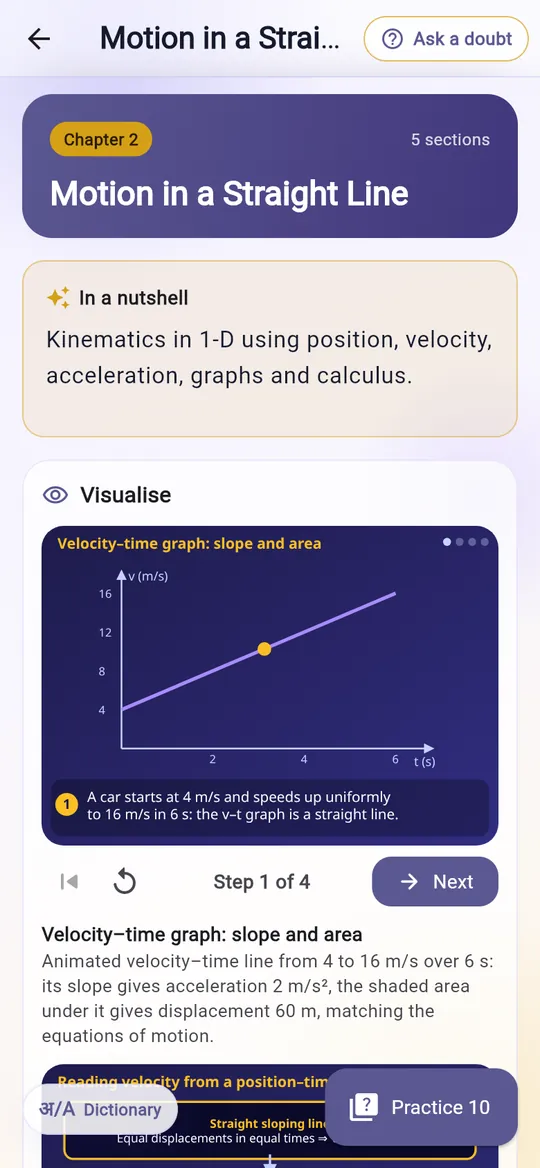
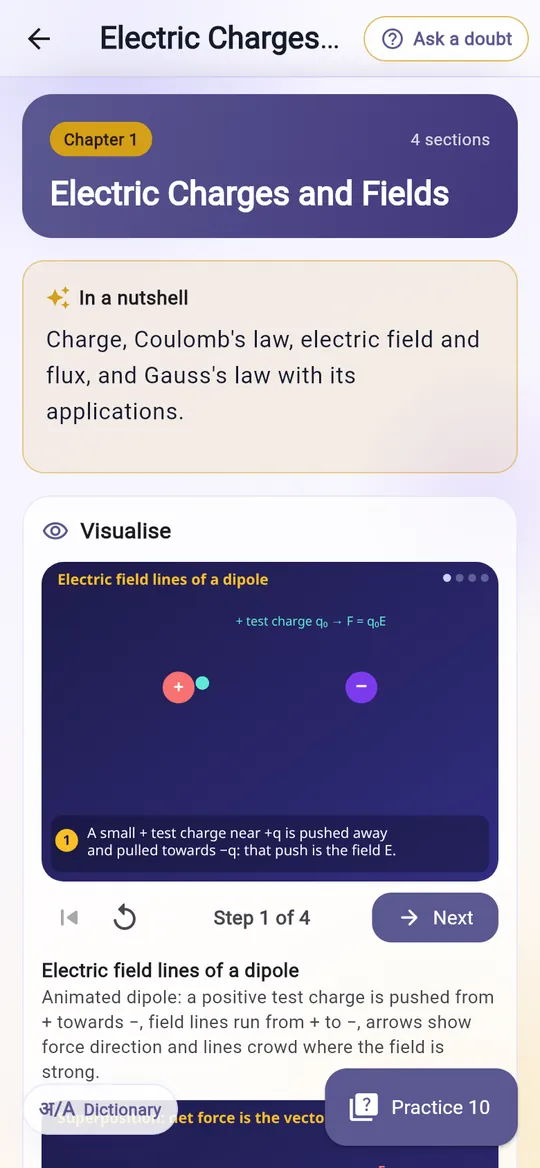
Step-by-step diagrams you can play, pause and rewind until the idea clicks.




See a candle melt, water swirl and nails rust in short looping clips, right inside the lesson.
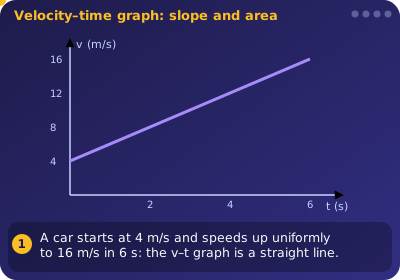
Graphs drawn as you read, so slope really means velocity and area really means distance.
Write your answer first, then check it against a model marked point by point, the way the board marks.
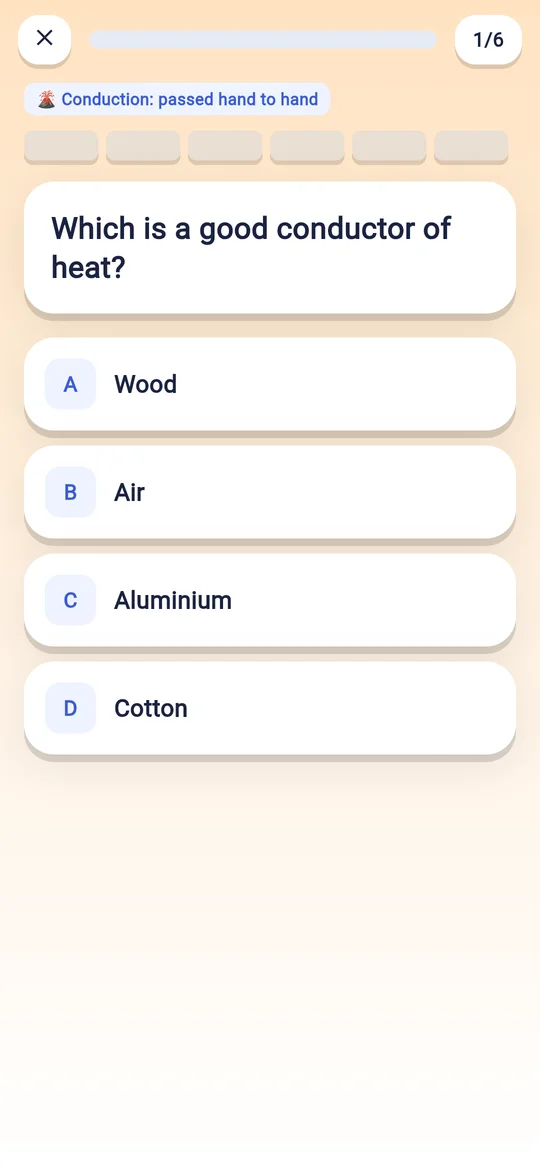
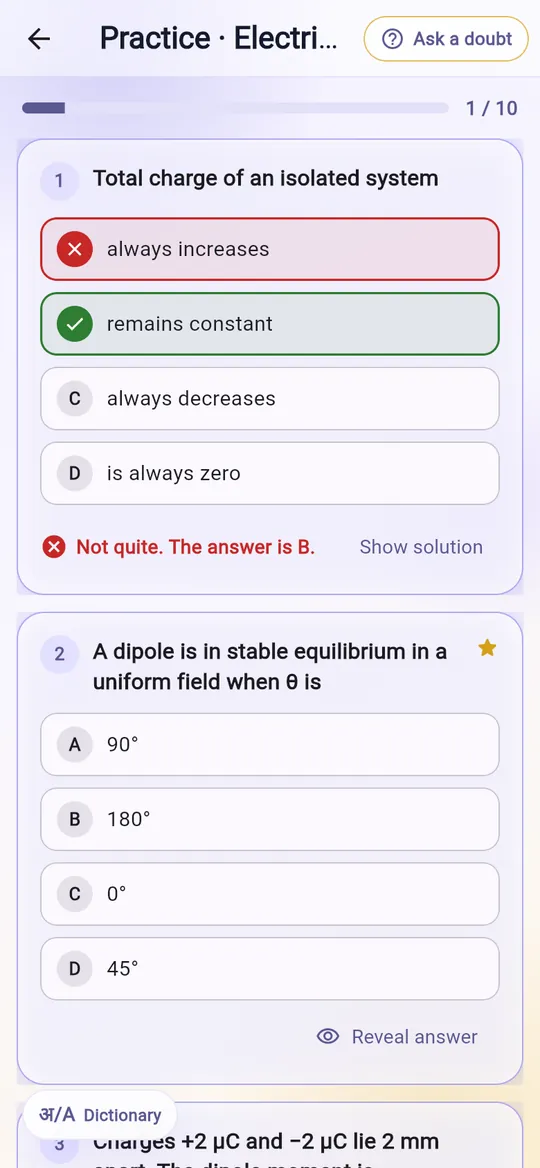
Up to 50 questions a chapter. Get one wrong and see why straight away, with the working.
Key points at the end of every chapter. One-page Class 12 guides are on their way into the app.
Points for real effort, spent on the extra screen time you agree to.
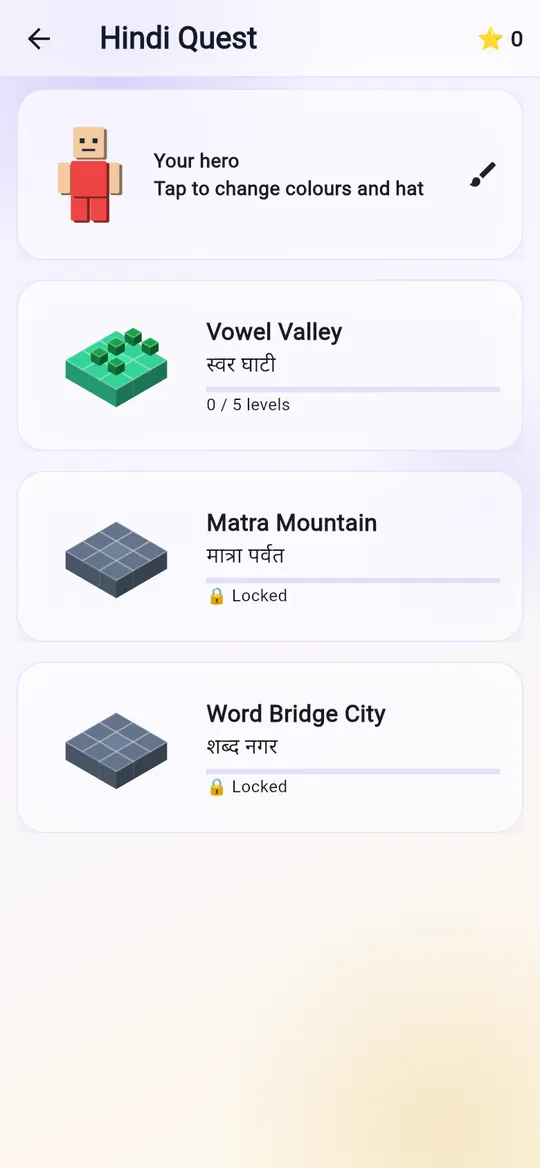
Build words from letter blocks, open मात्रा doors and beat the bosses.
Stuck on 2x + 3 = 11 or a tricky word? Get the steps at once, even with no internet.
These are the exact files the app uses. Pick one:
Study, gamified
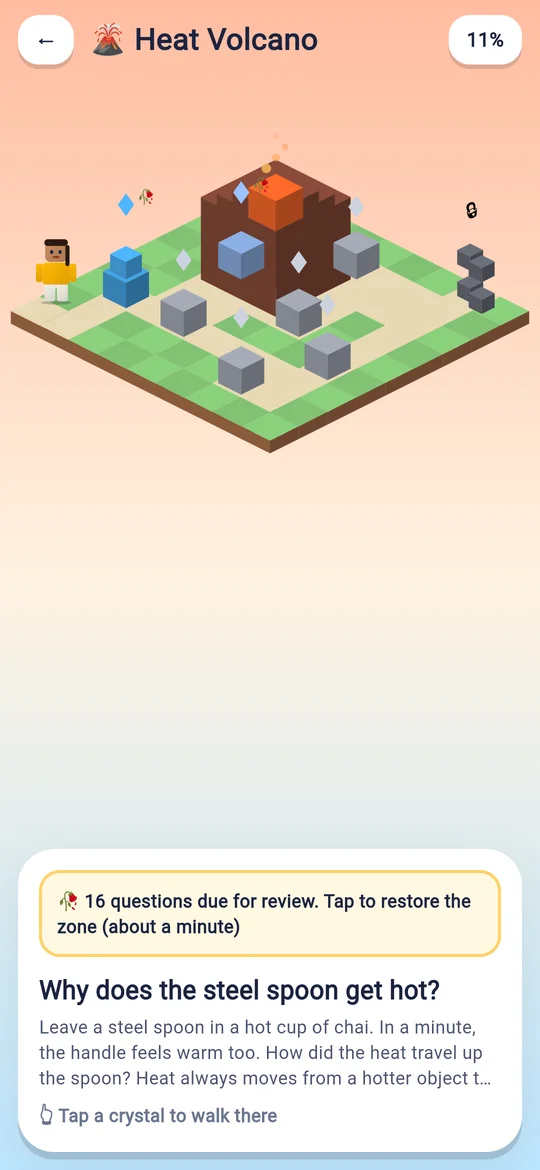
Every zone is a chapter. Every crystal is a concept mastered. Kids play their way through the syllabus, and you watch the progress.
Pick skin, hair, outfit and a pet. New outfits unlock by mastering zones. Nothing to buy.
All 12 Class 7 Science chapters are zones, from Curiosity Camp to Heat Volcano. Answer right and crystals grow.
The boss tests recall, not luck. Crack its armour with right answers, earn the badge, put it on the trophy shelf.
Due questions return to restore a zone, so concepts come back before they fade.
A safe world with no strangers, no shop and nothing to pay for.
Zones mastered and badges earned show up in your parent app.
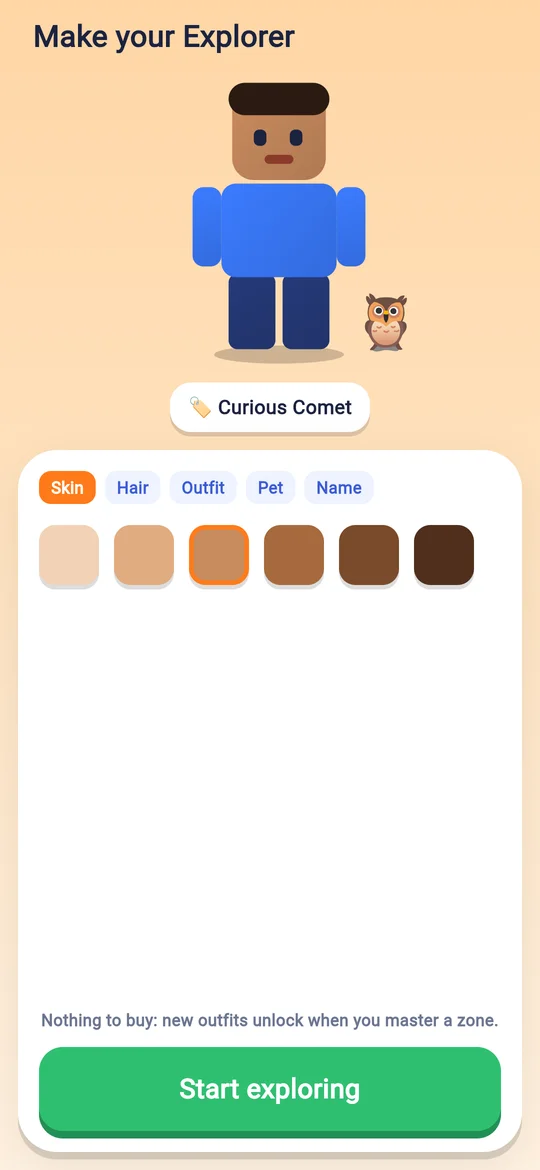
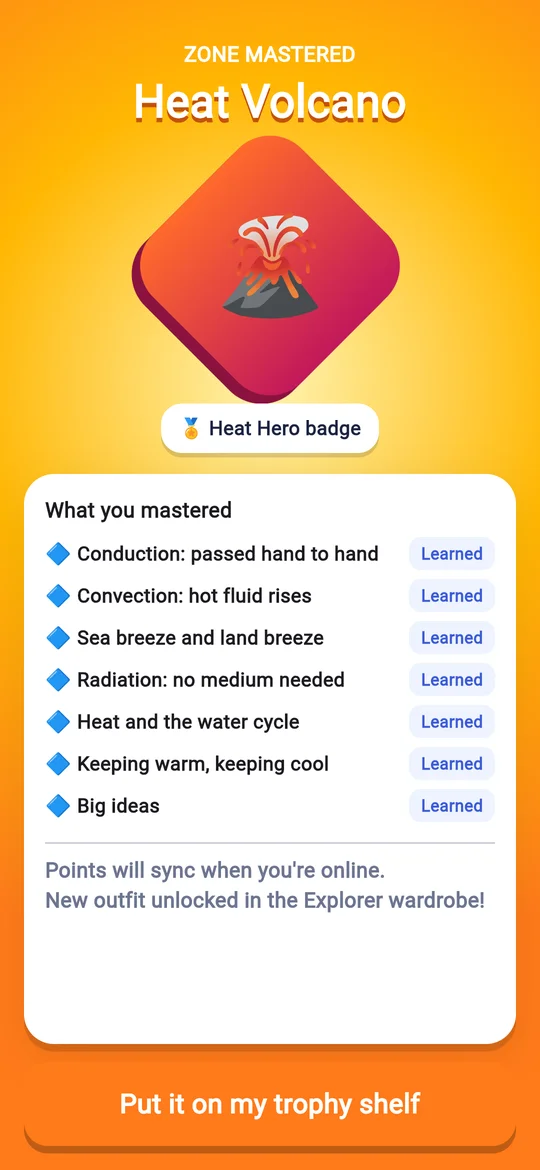
Arrives in the next Vinaya Study update · more islands coming soon
Classes 6 to 12
Classes 7, 11 and 12 are complete today. Tap a class to see every chapter that is ready.
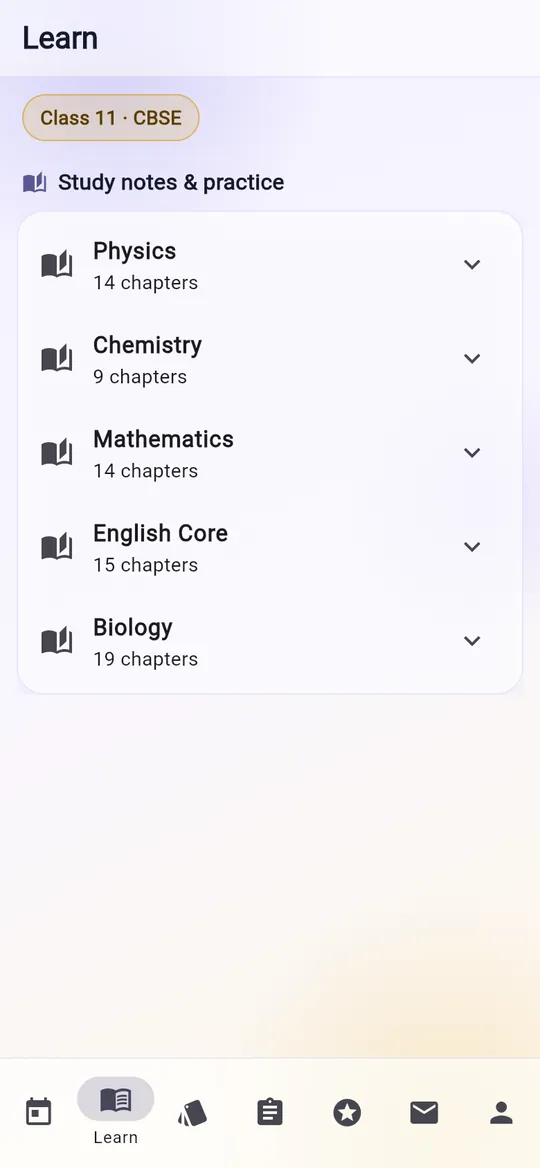
238 chapters are live today, all on the current NCERT syllabus. Tap a subject to see its chapters.
Parental controls
Built on Android's own device-management controls and a protected Windows service. Not an app a child can swipe away.
Vinaya's default rates: study apps are free, messaging and browsing count 1×, social, video and games burn 2×. Move the sliders.
Real screens
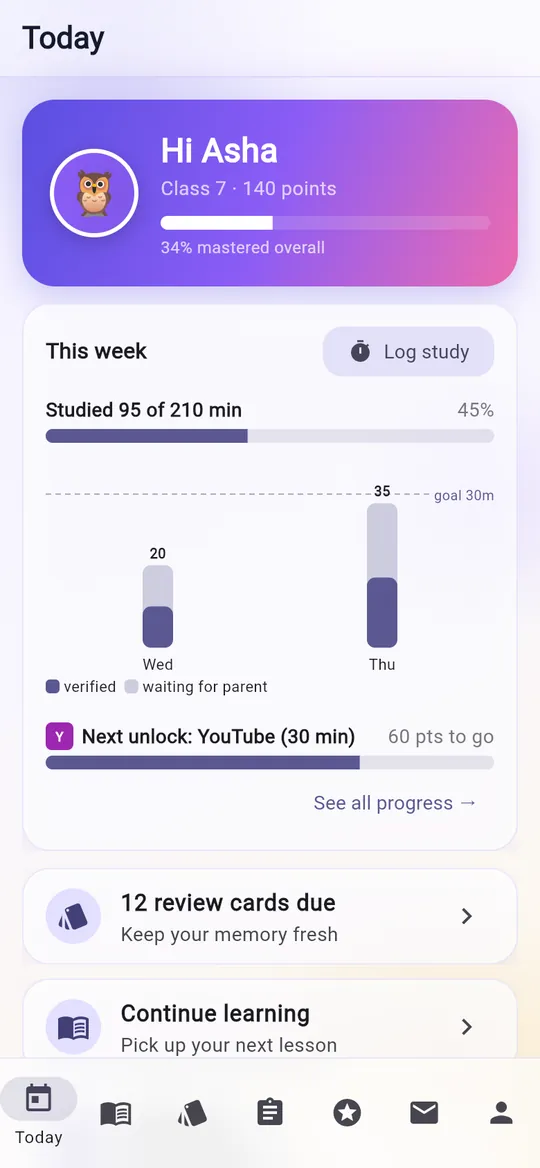
Captured from the current builds with demo data ("Asha" is not a real child). Tap to enlarge.
![Long answer with model answer marked [1] per point](/assets/img/study-c11-la-model.webp)
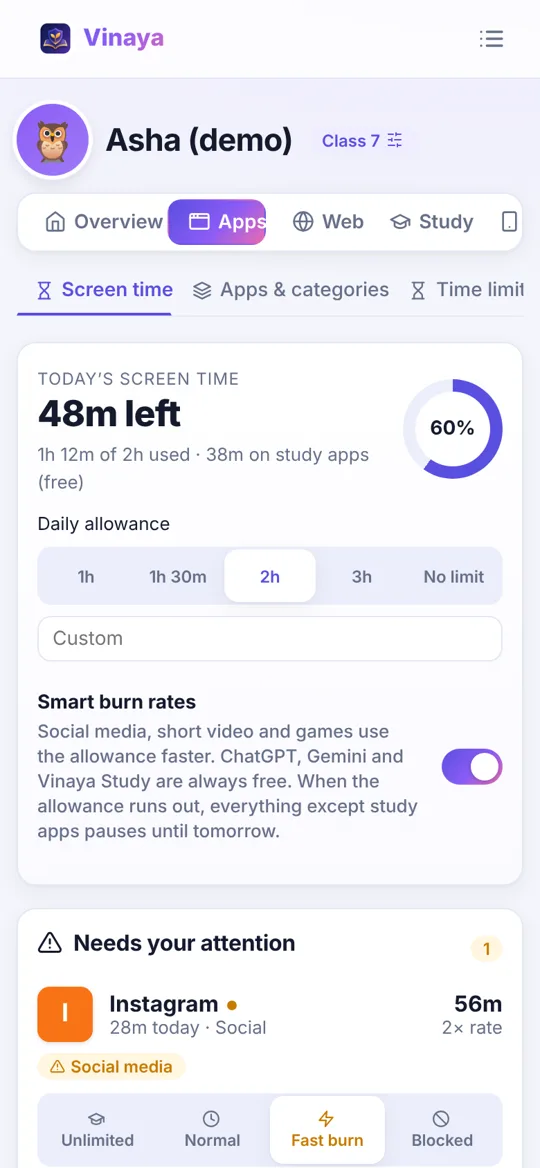
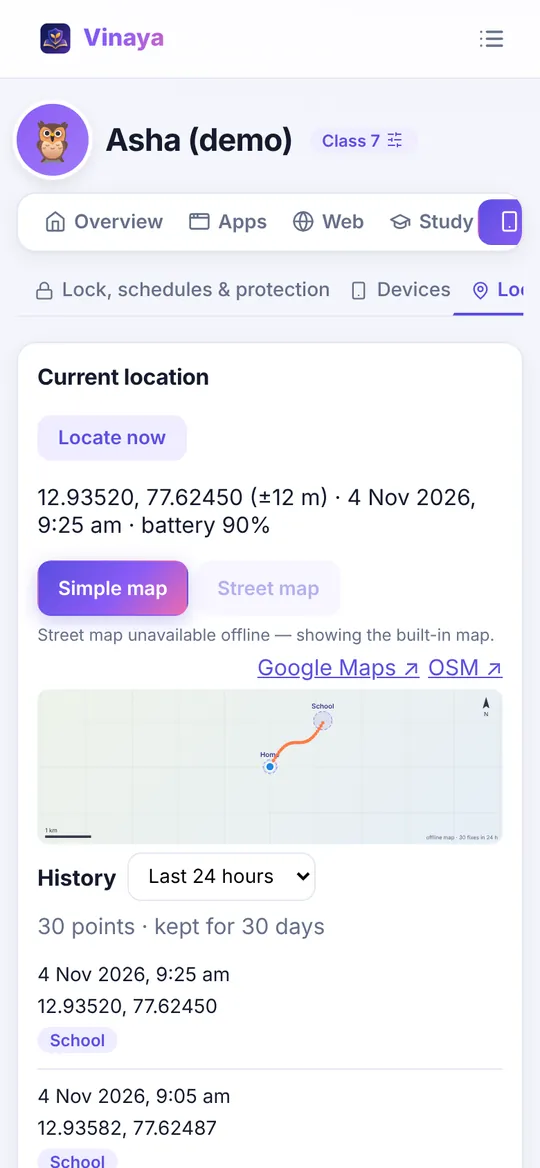
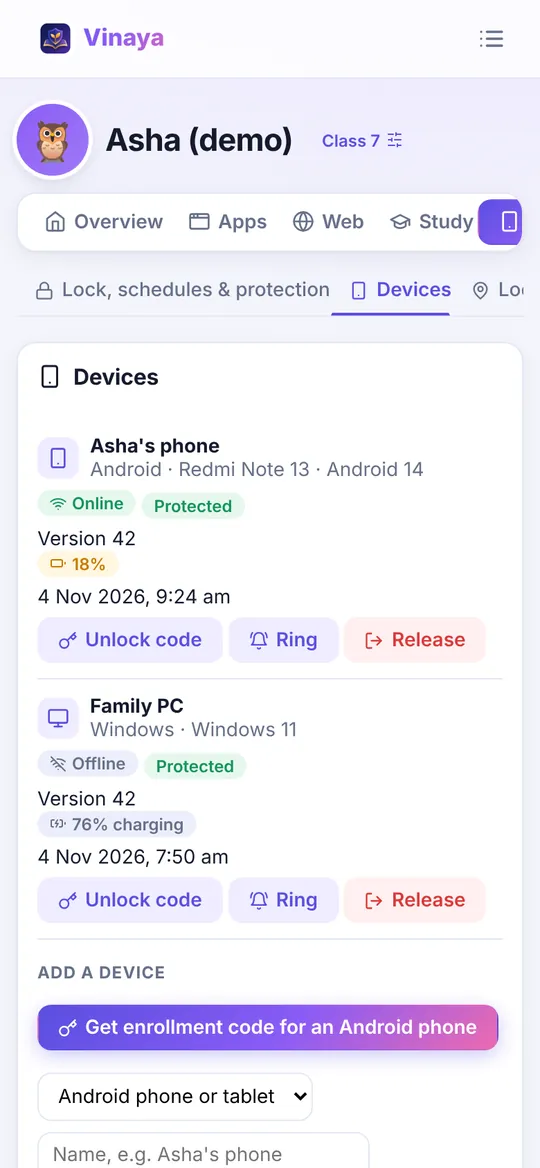
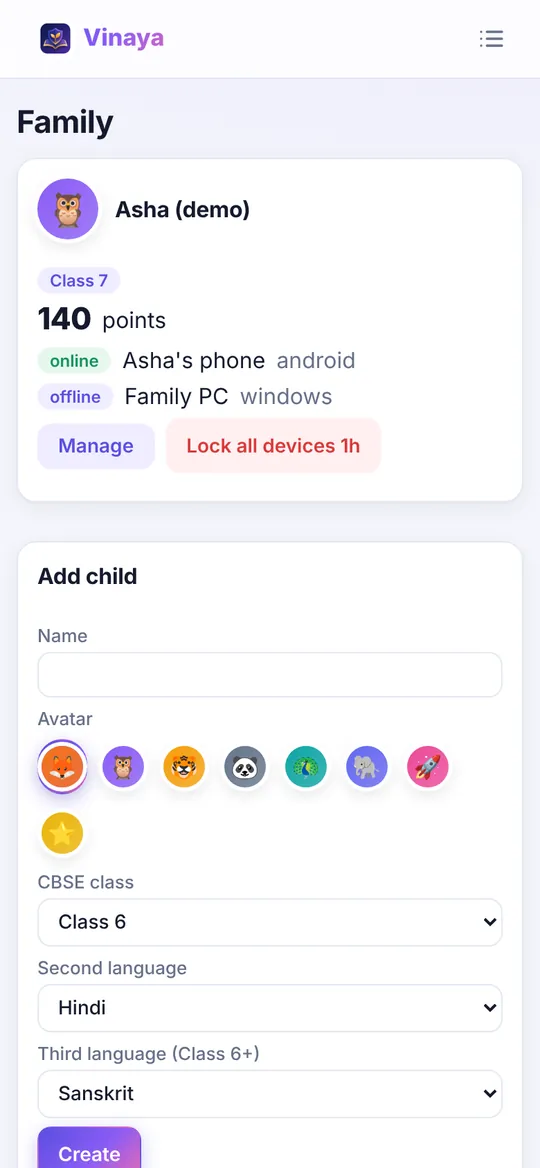
Why Vinaya beats the rest
Every other parental-control app only says "no". Vinaya is the only one that turns study into screen time, with full CBSE lessons and real device control built in.
| Vinaya | Google Family Link | Microsoft Family Safety | Apple Screen Time | Qustodio | Norton Family | Kaspersky Safe Kids | |
|---|---|---|---|---|---|---|---|
| Study earns screen time | Yes | No | No | No | No | No | No |
| CBSE lessons, quizzes & animations | YesClasses 6 to 12 | No | No | No | No | No | No |
| Offline doubt solver | Yes | No | No | No | No | No | No |
| Learning games & rewards | YesHindi Quest, points | No | No | No | No | No | No |
| Remote lock, confirmed per device | Yes | Lock only | No | No | Not stated | Not stated | Not stated |
| Location + SOS + ring | Yesall three | Location | No location retired | Via Find My | Location; SOS on paid plan | Location | Location + geofence |
| Tamper protection | YesDevice Owner + Windows service | Medium | Medium | Medium | Medium | Medium | Medium |
| Android + Windows | Yes | Android only | Windows; Android limited | No Apple only | Yes | Yes | Yes |
| Price per year | Yes₹0 no ads, no paid tier | ₹0 | ₹0 | ₹0 | ₹2,070 to ₹7,700 | ₹1,749 first year | ₹1,389 |
| Never reads calls or SMS | Yesby design | Yes | Yes | Yes | No Complete plan monitors | Not stated | Not stated |
Competitor details from each vendor's public pages and India pricing, checked 4 November 2026.
Free, forever
Vinaya has no ads, no paid tier and doesn't sell data. Safety should never depend on what a family can pay. If Vinaya helps your child, you'll be able to support it with a small, voluntary donation, just like Wikipedia. Children never see donation requests.
Donations are not open yet. Nothing is charged on this site.
Download & verify
Coming to Google Play by 27 January 2027
Until then, Vinaya installs from our own server. Always download from aavahanam.com, check the fingerprint, then follow the install guide for your phone.
| File | SHA-256 |
|---|---|
| vinaya-agent.apk | decb025450bfda0ecbed81e6a36591525b1d7b64a495a1565a9237f9fa315559 |
| vinaya-parent.apk | 057a1b1588511833ad343abb7eb0638e5aa5ea1b946147607077a27a705f6f04 |
| vinaya-study.apk | 7629d8af1a6d0c0a27888f7910349279ff8a1d4fdfcc4088939e78a14ed89440 |
| vinaya-windows-x64.zip | c7cb341508bec735b79480cd5ba15bae5a1874028d7fb4cbe4ceb07192bee6f7 |
| vinaya-parent-windows-x64.zip | bdd8eb57ce7355e9981360fcc146d01e7d53df7e9a2a643a1ecc1cf780cf7e81 |
| vinaya-study-web.zip | dbe8d8cfebbba0142cd5872589a7821d6c00b2dd5eb8752ee31b2a26ab613eb2 |
Copied from SHA256SUMS when this page was built. If they ever differ, trust SHA256SUMS and tell us.
Vinaya Android apps — signing certificate (APK Signature Scheme v2)
All three APKs (vinaya-agent.apk, vinaya-parent.apk, vinaya-study.apk) are signed with the same key.
Subject: CN=DW, OU=DW, O=DW, L=Hyderabad, ST=Telangana, C=IN
Certificate SHA-256: 79:2C:24:E9:1D:C2:C2:8F:EB:F1:72:B8:DA:A8:47:F1:5C:45:D4:96:16:EA:12:83:69:27:34:DE:01:01:12:B0
(hex: 792c24e91dc2c28febf172b8daa847f15c45d49616ea1283692734de010112b0)
Verify:  apksigner verify --print-certs vinaya-agent.apk
Android refuses to update an installed Vinaya app with an APK signed by any other key.
Get-FileHash .\vinaya-windows-x64.zip -Algorithm SHA256
sha256sum vinaya-agent.apk
apksigner verify --print-certs vinaya-agent.apk
The hash must match exactly. Android also refuses updates signed with a different certificate, so a tampered update cannot replace a genuine Vinaya install.
Install guide
Your phone warns you because Vinaya isn't on the Play Store yet, not because anything is wrong. Check the file first, then pick your phone.
Compare the SHA-256 and signing fingerprint with the list above. If they match, the file is genuine.
Open the APK from Chrome or Files. When asked, allow Install unknown apps for that one app.
If you see Unsafe app blocked, tap More details, then Install anyway.
After installing, turn Install unknown apps off again, and any setting you paused below.
Menu names can differ slightly between phone models and OS versions.
FAQ
Yes. Every study and safety feature is free. There are no ads. Voluntary donations may open later; children never see them.
No. Vinaya never reads calls, SMS, WhatsApp or social media messages. It shows screen time, apps, websites visited and location: enough to guide, not to spy.
Vinaya is built for CBSE Classes 6 to 12. Classes 7, 11 and 12 are live now, with every subject on the current NCERT syllabus; Classes 6, 8, 9 and 10 are on the way. The chapter list shows exactly what is ready today.
Not yet. It is coming to Google Play by 27 January 2027. Until then, install from aavahanam.com and follow the install guide.
No. Quick setup uses a code and the phone's device-admin permission. An optional "Maximum protection" mode uses a factory reset so Vinaya cannot be removed at all.
Not for device control, because Apple doesn't allow it. Your child can still use Vinaya Study in the browser on an iPhone or iPad.
On Android, uninstalling and factory reset are blocked, and turning protection off sends you an alert. On Windows, Vinaya runs as a protected service with a watchdog. A child who knows the device's unlock code can still try; you'll know.
Chapters download once and then work offline, including Ask a doubt. Progress syncs when the device is back online.
On Vinaya's own server in a dedicated database. Not sold, not shared with advertisers. Location history is kept for 30 days.
R Prabhakar, as part of AAVAHANAM. Write to rs.prabhakar@gmail.com. Every email is read.